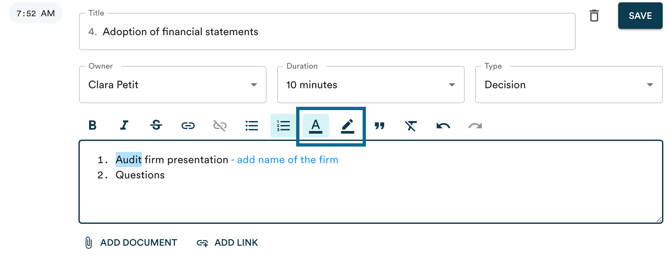
In the Panorama text editor, whether for an agenda, minutes, or a written resolution, you can change text colour and apply highlighting. These options are limited to users with document editing permissions.
You can also add comments on individual topics in an agenda, minutes, or resolution. Anyone with access to the document can read and publish comments.
Change text colour and highlighting
Use colours to highlight specific sections or add visual annotations to the text.
Add comments by topic
Comments let you annotate a specific topic or document without modifying its content. You can collaborate with your team on a document in progress, open the discussion to all members, or keep a personal note, depending on the visibility you choose when publishing.
They are available on agendas, minutes, and resolutions.
How to add a comment
On desktop
- Open the document (agenda, minutes, or resolution).
- Locate the comment icon to the right of the relevant topic. A number indicates how many comments have already been published on that topic.
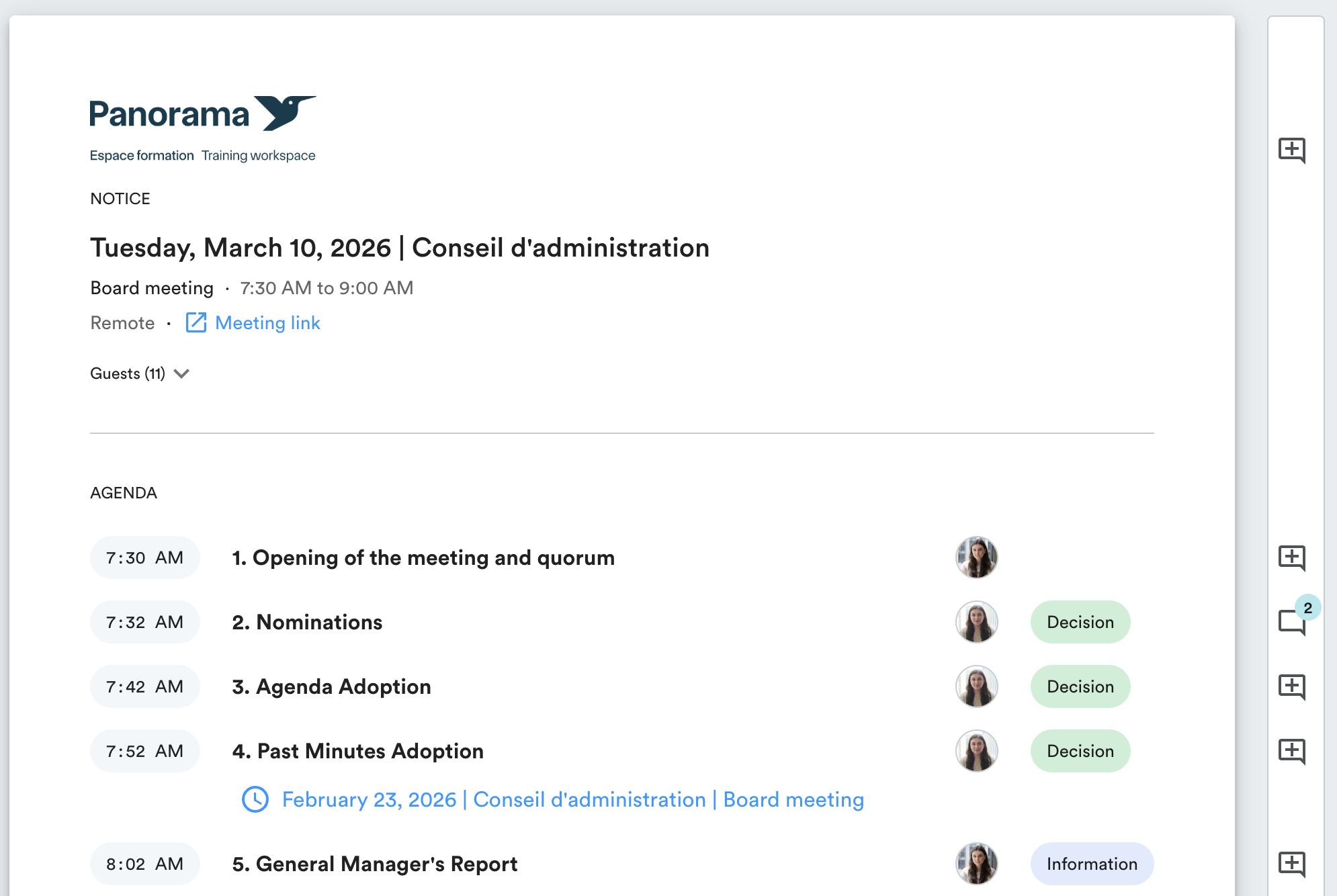
- Click the icon to open the comments panel.
- Type your comment in the text field.
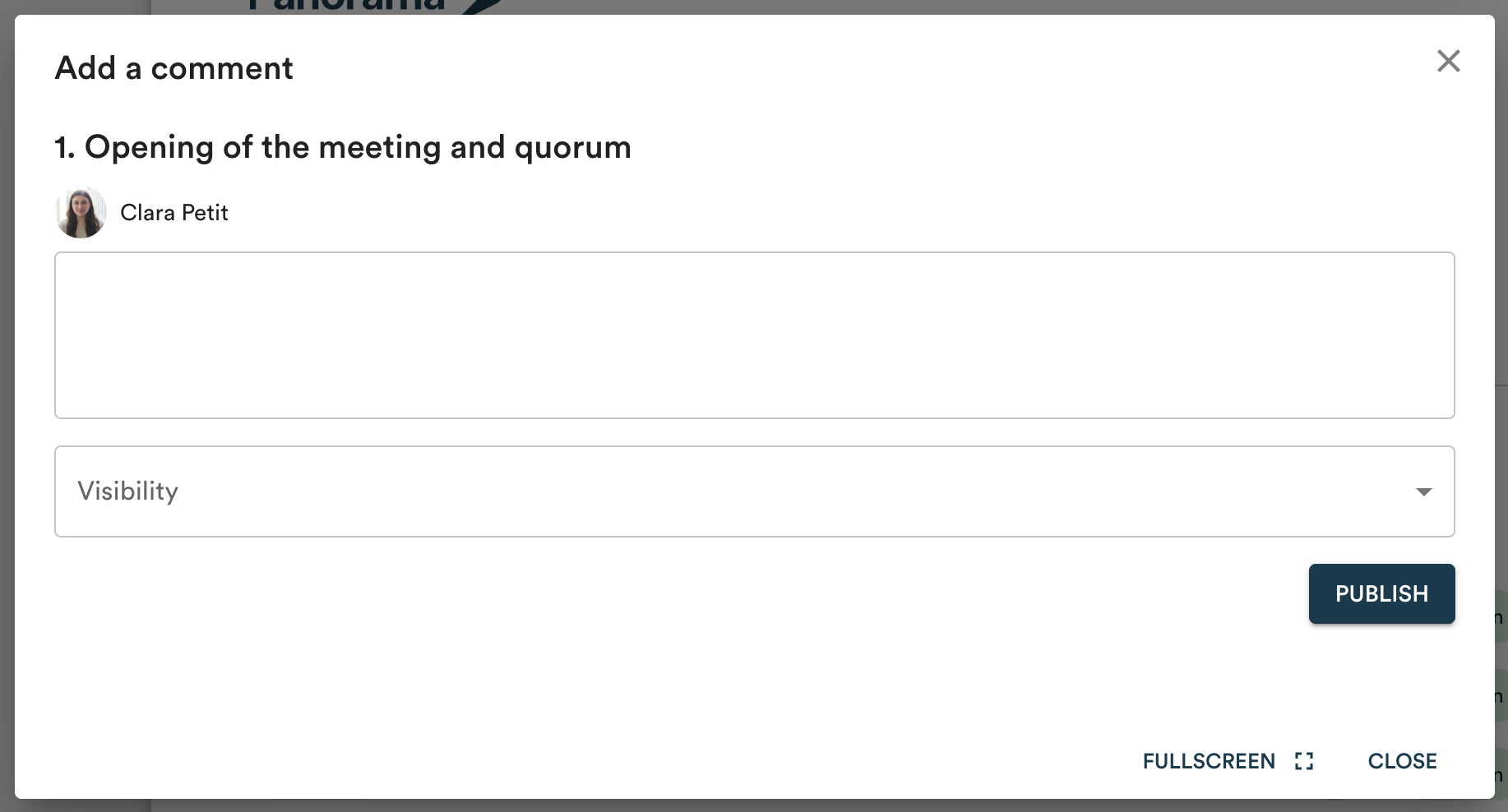
- In the "Visibility" menu, choose who can see your comment.
- Click "Publish".
On mobile
- Open the document.
- Under the relevant topic, click "Comments".
- Type your comment and select the desired visibility.
- Click "Publish".
Comment visibility
When publishing, you choose who can see your comment:
- Public: all users with access to the document can read the comment.
- Custom: only the users you select from the list can read the comment.
- Private: the comment is visible to you only.
Edit or delete a comment
Click the three dots to the right of a comment, then select "Edit" or "Delete".