
Add a document
-
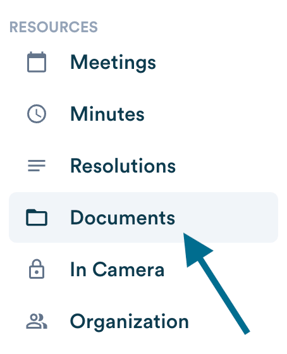
Navigate to the "Documents" tab in the left menu.
-
Click "Add a document" in the top right corner of the page, or drag and drop your file directly into the upload area in the table.

-
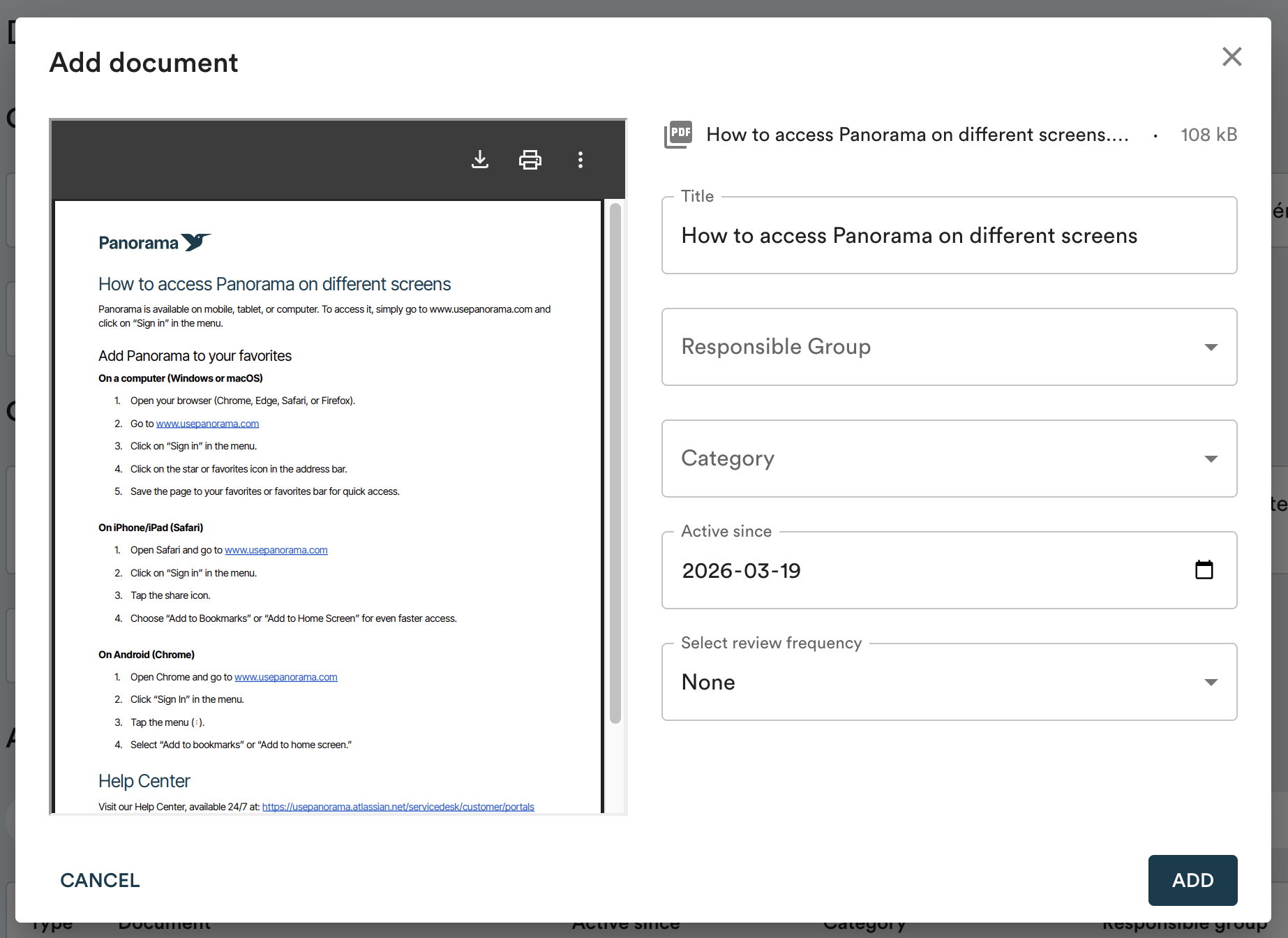
Fill out the form:
-
Responsible group: The committee responsible for the eventual review of the document (see note below).
-
Category: Allows you to classify your documents for easy search.
-
Active since: The date of the last change made to the document. This can be today's date, or a past date if the document hasn't changed (for example, the date your bylaws were adopted in 2012).
-
Review frequency (optional): Panorama will display a visual reminder when a review is suggested, based on the "Active since" date. Select "Custom" to set a specific date. No email will be sent.
-
The visibility of reference documents depends on your workspace configuration: some workspaces are set up so that each member can only see documents belonging to the groups they are part of. If you are unsure about your workspace configuration, contact us at support@usepanorama.com.
Update a document
When a new version has been approved or formally adopted by the board, you can update it directly in Panorama. Learn more about updating reference documents →
