Create a meeting
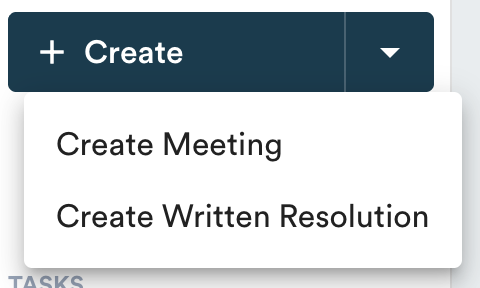
Click on "Create" then "Create a meeting" at the top left of the page.
Fill in the information: title, type/group, date and time, location and participants.
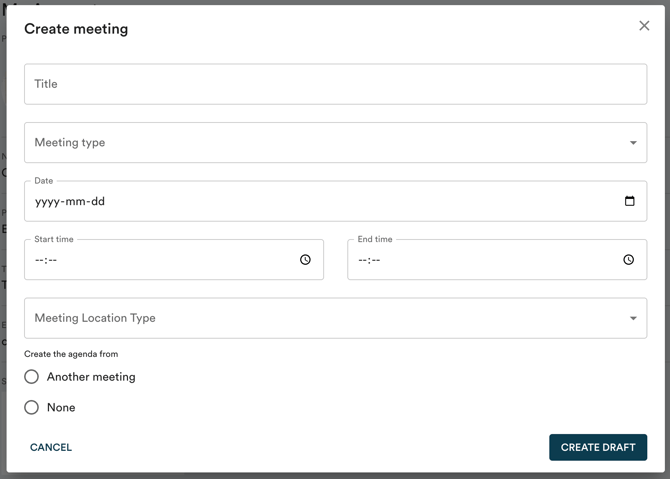
If you already have an agenda in Panorama, you can copy one from a previous meeting.
Create or edit the agenda
The agenda is worked on topic by topic. Each topic has its own edit button (the pencil at the top right). Click "Save" at the top right of each item to save your changes.

Add a topic to the agenda
To add a topic, simply hover your cursor over the line between two items and click on the "+".

Attach a document to a topic of the agenda
To attach a document to a topic, first click on the edit pencil, then "Add a document". This is also where you can add draft resolutions to adopt or links to external resources to consult.
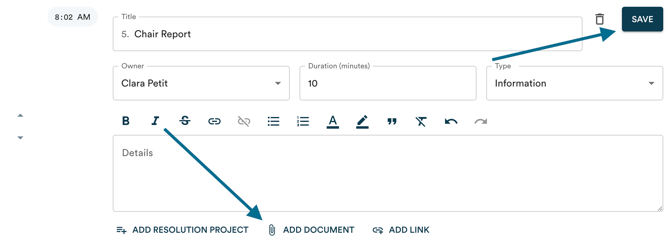
You can organize your documents in in the desired order. View this article to know how.
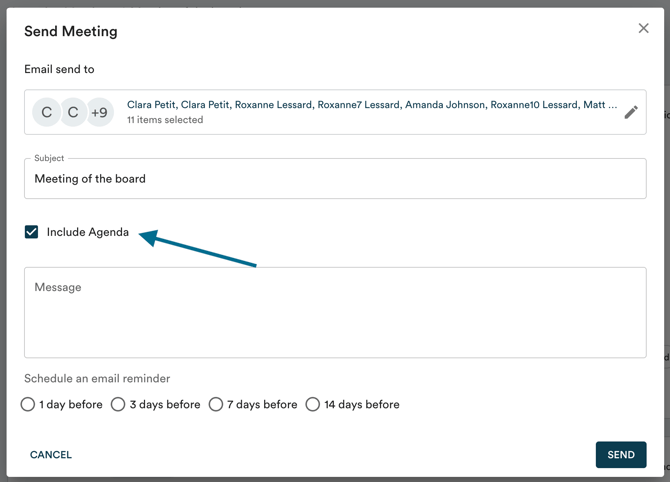
Send the agenda
To publish the agenda, click on "Send meeting". Check the "Include agenda" option.