
Under the Organisation tab, you'll find all the committees configured in Panorama ("Organisation" > "Groups"), as well as the complete list of your members ("Organisation" > "Members"): contact information, term dates, roles, and permissions.
Available permissions
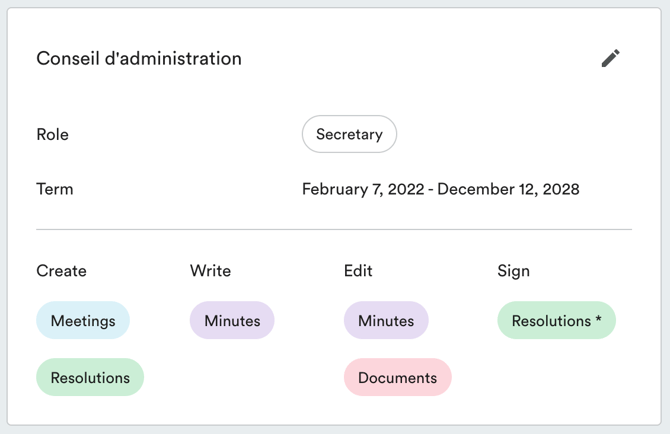
Here is what each permission allows a member to do:
- Meeting creation: allows creating meetings, accessing drafts, and making changes.
- Resolution creation: allows creating written resolutions, accessing drafts, and editing them.
- Minutes drafting: gives access to the note-taking module during the meeting.
- Minutes editing: allows reviewing and modifying minutes (not just viewing them).
- Document editing: allows adding new documents to the document centre.
- Minutes signing: allows a member to sign minutes.
- Resolution signing: allows a member to sign resolution excerpts. For written resolutions, signatories are selected at the time the resolution is created.
Updating member permissions
Only account owners can perform this action.
Navigate to "Organisation" > "Members". Click "View" on the relevant member, then click the pencil icon to the right of the committee.