
When you click on a PDF document attached to a meeting, it opens in the current tab. To view it alongside your agenda or another window, you can open it in a new browser tab.
- Locate the PDF document in your agenda (or elsewhere).
- Right-click on the document name.
- Select "Open in new tab" from the context menu.
The document opens in a new tab, and you can navigate freely between the two windows.
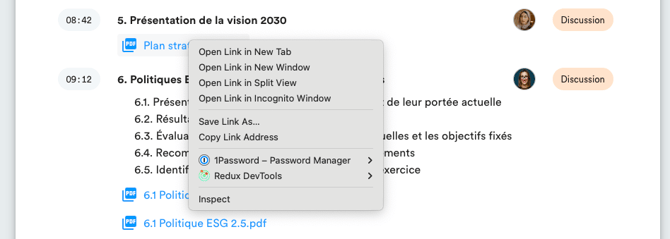
Note: The wording of the context menu may vary slightly depending on the browser you're using (Chrome, Firefox, Safari, etc.), but the equivalent option is always available.