
Smart topics are pre-configured topics designed to reduce the administrative load of your meetings. They support note-taking, automate your governance processes such as the adoption of minutes, and suggest common recurring administrative topics right from the start.
Opening the meeting and quorum
In this topic, you can mark attendance and record your quorum. Attendance can be modified during minutes review in case of an oversight or late arrival.
Panorama directly adds the meeting start time to the minutes as well as a sentence about reaching quorum once you click "Record quorum". You can update the timestamp in the review module after the meeting.
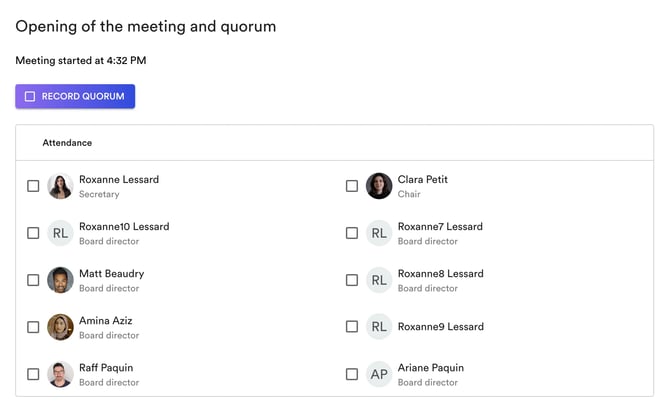
Are members external to the board exceptionally joining your meeting? You can add this information in the notes below the attendance table.
(Optional) Appointment of meeting officers
This step is optional: it's one of our smart topics that allows you to appoint a chair and secretary for the meeting itself. This can be useful if the chair and/or secretary cannot attend a meeting.
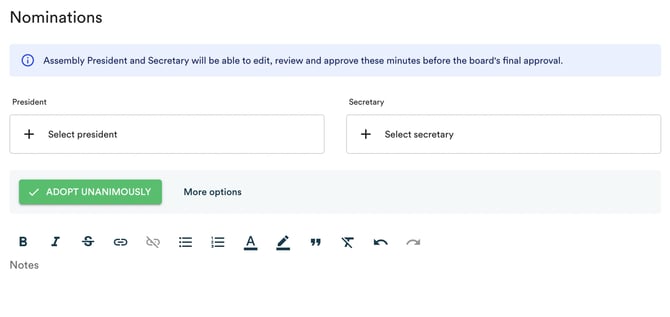
The appointment of meeting officers is a motion that Panorama allows you to record by clicking "Adopt unanimously" or "More options" to select a mover and seconder (see below).
Adoption of the agenda
In the agenda adoption topic, you can click on the agenda section to make changes as needed.
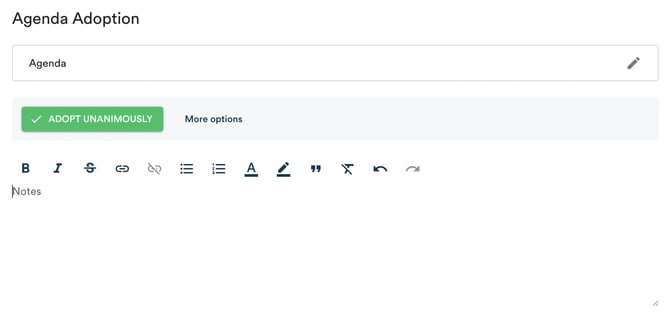
To change the order of topics, click on the arrows to the left of the topic. To edit the content of a topic (for example, add a topic to the Miscellaneous), click on the pencil at the top right of the topic.
Important! It's very important to always click the "Save" button at the top right of the topic after making changes.
Then, you just need to record the motion (see below).
Adoption of the last minutes
If you have permissions, you can edit the minutes on this page - if there are last-minute changes to make.
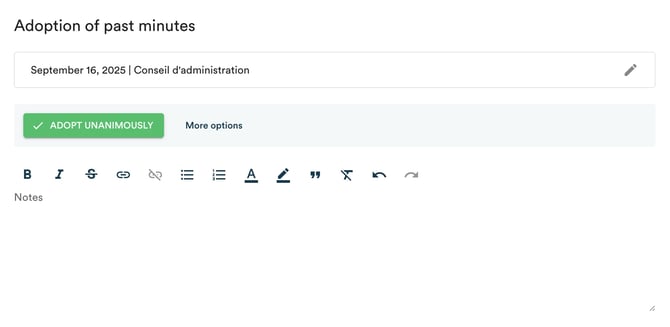
Important! Once the minutes are adopted, they will no longer be editable.
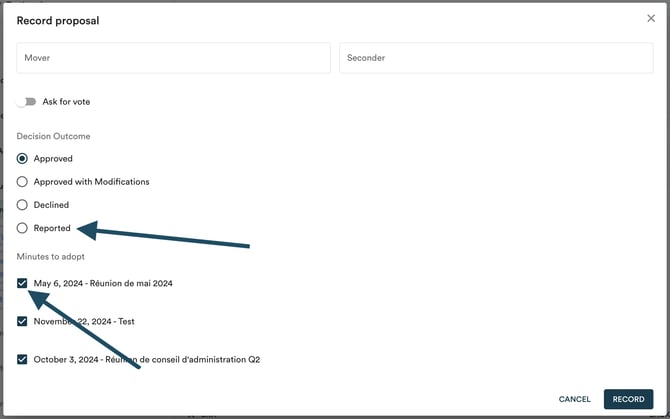
In this case, when you record the motion (see below), you can choose which minutes to adopt in the motion recording modal.
-
To postpone the adoption of minutes, select the "Postponed" option.
-
If you want to seal one set of minutes out of two, for example, select the "Adopted" result, but make sure to uncheck the minutes you don't want to seal. They will remain editable, and you can seal them manually later.
Your agenda topics
It will be the same principle for each topic. Take quick notes in the notes box and consult the agenda documentation in the left panel. You can enhance your notes during review.
In camera
You can only take notes in camera if you've been given permission to do so by the agenda creators. In camera note-taking guide →
Adjournment of the meeting
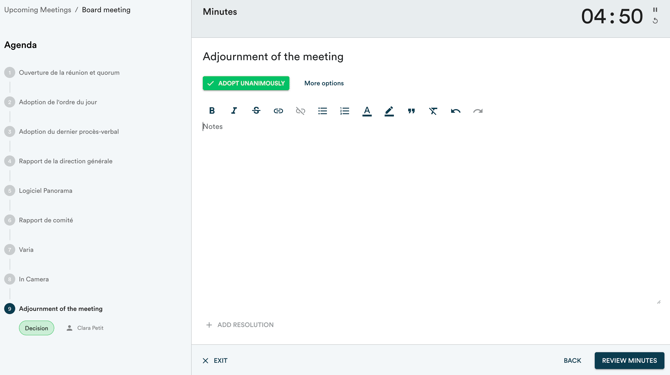
The adjournment topic is another smart topic that will allow you to close the meeting. Panorama will ask you to record the motion (see below) and will automatically add the adjournment time to the minutes. As with the meeting opening, the timestamp can be modified during minutes review.
Click "Review minutes" at the bottom right of the page to close the note-taking module and send the minutes to the review module.
Recording a motion
For each draft resolution or motion (smart decision topic) in Panorama, you'll be prompted to either "Adopt unanimously" or click "More options".
If you click "Adopt unanimously", you won't need to note a mover and seconder (although you can always add them later in the review module).
If you click "More options", you can note the mover and seconder, then note if there's a vote request or adjust the decision result. For certain topics, you can also decide whether to add a decision to your resolutions book by checking the "Add to resolutions book after the adoption of the minutes" option.
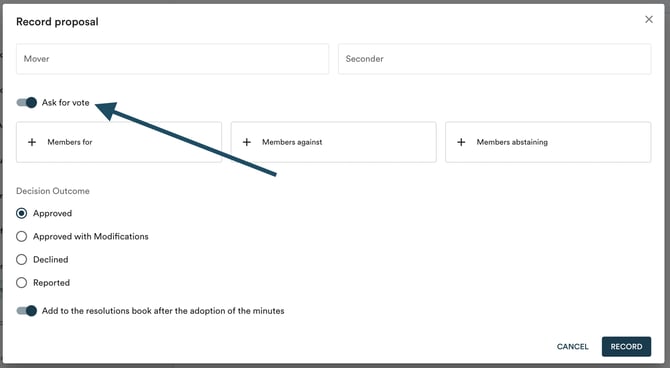
With this information, Panorama automatically generates the motion adoption sentence: "On motion duly made (by Mover) and seconded (by Seconder), adopted (unanimously, with amendments, postponed, or rejected)".